Getting my Casio G-Shock to sync
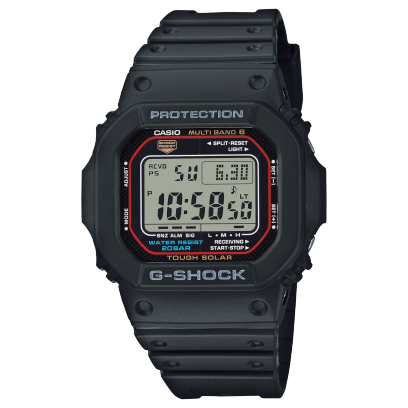
I have a Casio G-Shock GW-M5610, which has automatic time calibration. I’ve been passively curious how that calibration works, but I never looked into it until yesterday when I noticed the watch didn’t update to reflect the end of Daylight Saving Time (DST).
The calibration tech is called Multiband 6. In the United States, the calibration signal is broadcast from NIST radio station WWVB in Fort Collins, Colorado, which is roughly 1,000 miles southeast of me. Portland is well within the coverage area, though reception is a challenge during the daytime due to the effect of solar radiation and atmospheric interference on the 60 kHz signal.
The watch can auto-update for DST, but only if it can stay calibrated. It doesn’t have an internal calendar for tracking DST transition dates. Instead, it relies on a flag sent with the calibration signal. So if it can’t calibrate, it can’t know that DST has changed.
You can see the watch’s last sync time by pushing the bottom-right button. I did that yesterday and saw that the watch hadn’t updated since October 5 — nearly a month ago. I’ve been keeping the watch in my basement office on a shelf where it can get enough light to keep itself charged, but apparently this is a bad spot for getting a calibration signal. It probably doesn’t help that my Wi-Fi router is a few feet away.
I took the watch upstairs and put it on the sill of our east-facing window for the night, and that did the trick. I pushed that bottom-right button this morning, and the watch reported a successful calibration from last night at 12:05 AM.
I’m happy to know a bit more about how this thing works!
See also
- John’s post, MultiBand 6 – What is it?
- The r/gshock thread, How is auto Daylight Savings Time (DST) supposed to work?