Added a light/dark theme toggle
My last post on color themes and subsequent dark-mode refresh made me want to add an easier way to toggle light and dark mode on this site.
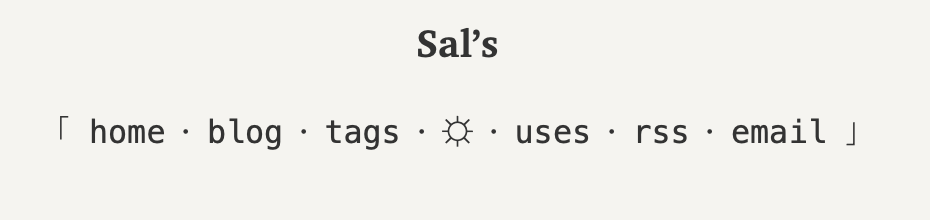
In my new nav section, you’ll now see a theme switcher in the middle:
CSS vs. JavaScript?
I was originally hoping to implement this entirely with CSS, since I know a number of folks out there keep JavaScript disabled when they peruse. I got that working, but the downside is that it doesn’t stick. As soon as a new page loads — for example, when you click any link on my site — the theme reverts to whatever’s dictated by your system.
And so it came to pass that this site grew its first few lines of JavaScript.
Revealing the switcher
{% aside %} Update: I later learned some things. The type of script below is sometimes called a “no-flash” or “blocking” script. The general name for scripts that run in the document head are “preload” or “init” scripts. {% endaside %}
I don’t want to show the toggle if it won’t work, so I default to hiding it and then revealing it via JS. This way, if the user doesn’t have JS enabled, they won’t see the toggle.
My first implementation of this resulted in a brief flicker on page load as the JS unhid the button.
That really bugged me, so I asked Gemini to help me come up with a better approach.
Now, I put a .no-js tag on the entire html body:
<html class="no-js">
And I hide everything related to the theme toggler in CSS:
.no-js .theme-toggle {
  display: none;
}
Then, in the <head> section, I replace .no-js with .js via one line of JavaScript:
<script>
  document.documentElement.className = "js";
</script>
Et voila! If JS is enabled, the theme switcher is enabled before the browser starts painting anything in <body>.
No more flicker.
At least, that’s how Gemini explained it to me.
If I’m misunderstanding, or if you know of a better way to do this, please email me.
I’d love to learn from you.
Toggling the theme
The JavaScript toggle logic does two things: (1) sets a data attribute on the document that CSS can key off of, and (2) saves the setting in localStorage to persist it across page loads and visits.
Here’s the entire script at this moment:
const toggleAttr = "data-theme";
const storageKey = "theme";
const light = "light";
const dark = "dark";

function applyTheme(theme) {
  document.documentElement.setAttribute(toggleAttr, theme);
  localStorage.setItem(storageKey, theme);
}

// Edit: These two lines might create a bug (defaulting to light mode
// even if the OS is in dark mode). Need to revisit.
const savedTheme = localStorage.getItem(storageKey) || light;
applyTheme(savedTheme);

function setupListeners() {
  const toggleBtn = document.getElementById("theme-toggle");

  toggleBtn.addEventListener("click", () => {
    const currentTheme = document.documentElement.getAttribute(toggleAttr);
    const newTheme = currentTheme === dark ? light : dark;
    applyTheme(newTheme);
  });

  const osModeQuery =
    window.matchMedia && window.matchMedia("(prefers-color-scheme: dark)");
  if (osModeQuery) {
    osModeQuery.addEventListener("change", (event) => {
      const newTheme = event.matches ? dark : light;
      applyTheme(newTheme);
    });
  }
}

setTimeout(setupListeners, 50);
The setTimeout at the end is because JS can’t see the toggle element when the script first runs.
I assume that’s because the page hasn’t been rendered yet?
I need to look into that.
Meanwhile, in the Sass (I switched to Sass from vanilla CSS during this project because mixins felt like a cleaner way to handle theming):
@mixin light-mode {
  // define light-mode variables
  --bg-color: var(--light-bg);
  --bg-color-alt: var(--light-bg-alt);
  // ...
}

@mixin dark-mode {
  // define dark-mode variables
  @include gruvbox-dark;
  --bg-color: var(--dark-bg);
  // ...
}

:root {
  // ...
  // default to light mode
  @include light-mode;
}

// handle OS-level setting
@media (prefers-color-scheme: dark) {
  :root {
    @include dark-mode;
  }
}

// handle theme-toggle set to dark mode
:root[data-theme="dark"] {
  @include dark-mode;
}

// handle theme-toggle set to light mode
:root[data-theme="light"] {
  @include light-mode;
}

// Use the variables defined in light-mode and dark-mode throughout.
// For example:
html,
body {
  // ...
  color: var(--text-color);
  background-color: var(--bg-color);
}
Anyway, I’ve got more testing and cleanup to do, but I think it’s working. If you spot a problem, please let me know!
Backlinks
-
Deleted my dark-mode toggle
Thanks to Lea Verou for the push.